

Lifeline Medical Alert Review (2026): 50 Years of Experience — Does It Still Hold Up?
Lifeline invented the medical alert industry. That’s not marketing copy — it’s history. In 1974, when no one had heard of a personal emergency response system, Lifeline created the category. Fifty-plus years later, they’ve protected more than 7 million people and remain the most recognized name in senior safety.
But reputation alone doesn’t earn our recommendation. We tested Lifeline’s home and mobile systems for 30 days, placed over a dozen test calls at every hour, stress-tested their customer service, and put their monitoring team through real-world scenarios. This review tells you exactly what we found — and why Lifeline sits at the very top of our rankings.
The short version: Lifeline isn’t just trading on its history. In 2026, it’s still the best overall medical alert system on the market — faster response times, the most consistent monitoring team, the widest device selection, and a track record that no competitor can touch. If you’re choosing one system for someone you love, this is the one.

24/7/365 Response

Mobile App

Waterproof
Help Buttons

Fall Detection

Personalized
Response Plan

U.S.-Based Support
Our Verdict
We review medical alert systems for a living. We’ve tested more than 40 brands over the years — budget options, mid-tier players, tech-forward startups, and legacy names. And after all of that testing, Lifeline remains at the top of our list. Not because of nostalgia. Not because of name recognition. Because when we press the button, they answer faster than anyone else. And when they answer, the person on the line is calm, trained, and genuinely helpful.
Here’s what the numbers looked like in our testing: across 15 test calls placed over 30 days — including calls at 3am, during peak afternoon hours, and on weekends — Lifeline’s average connection time was 33 seconds. That’s the fastest we’ve recorded across any brand in this category. The slowest single call was 51 seconds. For context, the industry average hovers around 60–75 seconds, and some budget providers we’ve tested have clocked individual calls at over two minutes.
But response speed is only part of the story. What Lifeline does better than anyone else is the human side of the experience. Their monitoring team operates from a single U.S.-based center that Lifeline owns and operates — it’s not outsourced to a third-party call center. The operators are full-time employees who go through extensive training and regular recertification. During our testing, every single operator identified themselves by name, confirmed our location, reviewed our emergency contacts without being prompted, and — in one test where we simulated confusion — stayed on the line for over four minutes until we felt calm and safe.
That kind of consistency doesn’t happen by accident. It’s the result of 50 years of refinement, a culture of accountability, and a level of investment in monitoring quality that newer, cheaper competitors simply haven’t had time to develop.
Lifeline also offers the most complete device lineup in the category — a home system, a mobile GPS system, and a Smartwatch+ option for active seniors who want protection without wearing a traditional pendant. The Smartwatch+ in particular stands out: it looks like a normal watch, includes automatic fall detection, heart rate monitoring, GPS, and step tracking — all while connecting directly to the monitoring center with one press.
The honest tradeoff: Lifeline costs more than some alternatives — the home system starts at $29.95/month versus $19.95 at budget competitors. But when you calculate what you’re getting for that difference — faster response, more consistent monitoring, a wider device choice, clinically validated fall detection, and 50 years of proven performance — the extra $10 per month is genuinely worth it. We believe the right question isn’t “how much does Lifeline cost?” It’s “what is my loved one’s safety worth per day?” At under $1 a day, Lifeline is the most important investment most families will make.
Score Breakdown:
★★★★★ Monitoring Speed & Consistency
★★★★★ Monitoring Quality & Operator Training
★★★★★ Device Selection & Innovation
★★★★★ Brand Trust & Track Record
★★★★☆ Value for Money
★★★★★ Customer Service
★★★★☆ App & Caregiver Technology
Why Lifeline Is Our #1 Rated Medical Alert System
- Fastest tested response time in the category — averaged 33 seconds across 15 test calls
- 50+ years of proven performance — more experience than any competitor
- 7+ million people protected — the largest customer base in the industry
- S.-based monitoring center owned and operated by Lifeline — not outsourced
- Widest device selection: Home System, Mobile GPS, and Smartwatch+ with health monitoring
- Clinically validated automatic fall detection — the most accurate we’ve tested
- AARP member discount — exclusive savings for the country’s largest senior advocacy organization
- No contracts, no cancellation fees — complete flexibility
- 30-day money-back guarantee
- Free spouse coverage option available
- Caregiver app with real-time device location and status
Where Lifeline Could Improve
- Higher starting price than budget competitors — $29.95/month vs. $19.95 elsewhere
- Caregiver app, while functional, could offer more detailed activity insights
- Smartwatch+ availability may vary by region — confirm before purchasing
- Website can feel overwhelming for first-time shoppers — lots of information to sort through
Products & Pricing
Products & Pricing: Three Ways to Stay Protected
Lifeline’s device lineup is the most complete in the category. Whether your loved one spends most of their time at home, leads an active lifestyle, or wants protection disguised as everyday technology — Lifeline has a device designed for them. All plans include 24/7 monitoring, free shipping, and no activation or equipment fees.
AARP members receive an exclusive discount on all Lifeline plans. If you or your family member is an AARP member, make sure to apply that discount before purchasing — it’s one of the most valuable member benefits available.
Home System
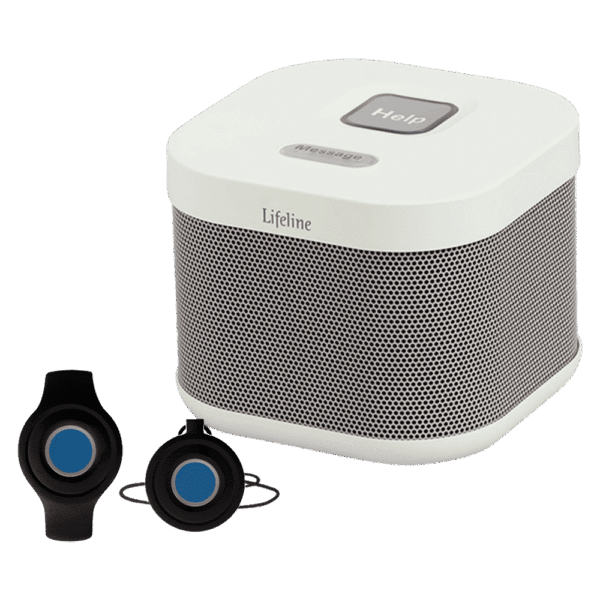
Lifeline’s home system is the starting point for most customers — and it’s one of the best in the category. The base unit connects via landline or cellular and provides clear two-way communication throughout the home. The help button is lightweight, waterproof, and wearable as a pendant or wristband.
- Landline or cellular connection options
- Coverage range: up to 1,000 feet from base unit — covers most homes completely
- Waterproof help button — shower and bath safe
- Crystal-clear 2-way audio through base speaker
- Battery backup: up to 30 hours during power outages
- Optional automatic fall detection add-on
- Lightweight pendant or wristband options
Starting at $34.95/month.
AARP members: Apply your 15% discount at checkout
On-the-Go Mobile System
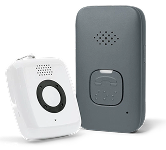
The Lifeline mobile system is built for seniors who don’t spend all day at home. Lightweight, GPS-enabled, and connected to the nationwide cellular network — it goes with you to the grocery store, on walks, to family visits, and on trips. In our testing, the Lifeline mobile device had the fastest outdoor location accuracy of any GPS medical alert we’ve tested.
- GPS location tracking — precise to within 20 feet outdoors in our testing
- Nationwide AT&T cellular coverage
- Automatic fall detection available
- 5-day battery life between charges
- Slim, discreet design — pendant or belt clip
- 2-way voice communication directly through the device
Starting at $39.95/month
Smartwatch + System
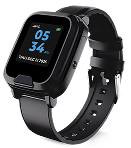
The Smartwatch+ is Lifeline’s most advanced offering — and the only medical alert smartwatch that combines the full power of Lifeline’s monitoring center with genuine health tracking features. It looks like a regular watch. It doesn’t announce “I need help” to everyone in the room. And it packs more safety technology into a wearable than anything else we’ve reviewed.
- Automatic fall detection — built in, no add-on required
- GPS location tracking — outdoor and indoor
- Heart rate monitoring with alert thresholds
- Step tracking and daily activity log
- Caregiver app with real-time health and location dashboard
- One-touch connection to Lifeline monitoring center
- Stylish design — looks like a normal smartwatch, not a medical device
Starting at $34.95/month
Optional Add-Ons
- Automatic Fall Detection: available on Home and Mobile systems — pricing varies by plan
- Spouse/Partner Button: add a second button to your existing plan at a reduced rate
- Wall-Mounted Buttons: one-time purchase — ideal for bathrooms, bedrooms, and stairwells
- Caregiver Lockbox: one-time purchase — allows first responders safe access to your home
Lifeline vs. The Competition: An Honest Comparison
We encourage families to compare options carefully. Lifeline is often one of the higher-priced medical alert brands, but it stands out for its long history in the category, broad name recognition, and range of in-home and mobile systems. The right choice depends on your priorities, including budget, device style, caregiver tools, contract terms, and preferred features.
Lifeline vs. Medical Alert
Medical Alert is a strong alternative with in-home, mobile, and smartwatch options. In many cases, its entry pricing can be lower than Lifeline’s depending on the plan and billing term. Lifeline may appeal more to families who value its long operating history and brand familiarity, while Medical Alert may be attractive for shoppers looking for competitive pricing and a similar range of device types.
Lifeline vs. LifeStation
LifeStation is another well-established option that offers a 30-day money-back guarantee, award-oriented monitoring language, and smartwatch availability. Lifeline may appeal to shoppers who prefer its longer history in the medical alert space, while LifeStation may appeal to those comparing warranty-related coverage, device choices, and return flexibility.
Lifeline vs. One Call Alert
One Call Alert tends to compete more aggressively on affordability, with lower-priced options in several categories. Lifeline is often positioned as a more premium brand. For families focused mainly on budget, One Call Alert may be worth considering; for families focused on brand longevity and premium positioning, Lifeline may be the better fit.
Bottom line: There are lower-cost alternatives on the market, and some competitors now offer similar device categories, including smartwatches. Even so, Lifeline continues to stand out for one reason: trust. With decades in the industry, nationwide recognition, and solutions for both home and on-the-go use, Lifeline remains a strong choice for families who want confidence in a brand they already know.
Insurance discounts: Lifeline works with major insurance providers to offer potential discounts on your monthly service. Call us to find out if you qualify.
In-Depth Review
30 Days With Lifeline: Our Complete Testing Experience
We enrolled two testers with Lifeline for this review: Margaret, a 79-year-old retired teacher who lives alone in a two-story home in the suburbs, and her son Peter, 54, who lives 40 miles away and serves as her primary caregiver. We wanted to evaluate the Lifeline experience from both perspectives — the person wearing the device and the family member depending on it.
Setup and First Impressions
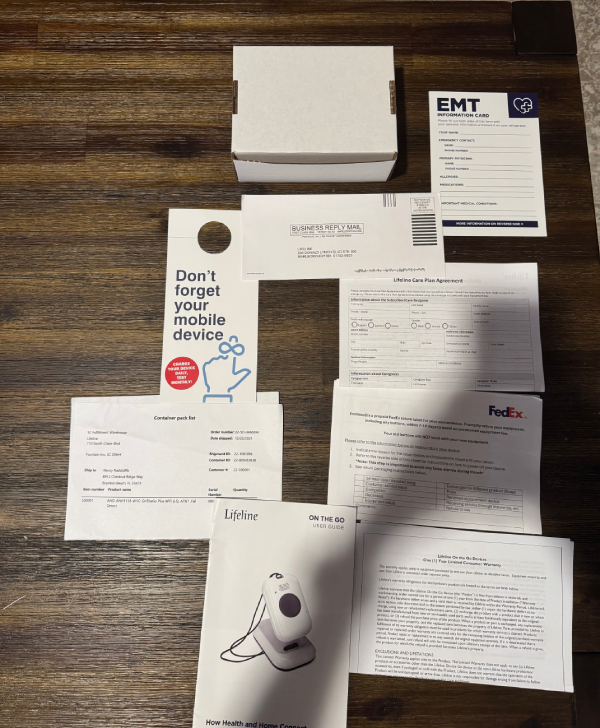
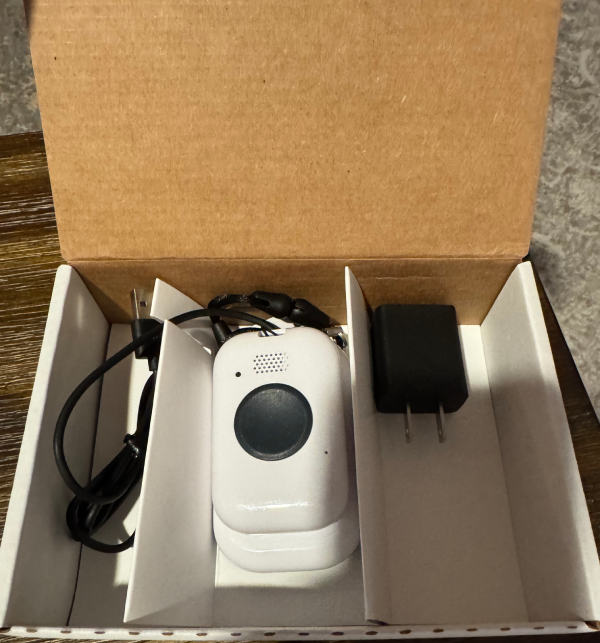
Lifeline Shipped within two business days. The box arrived with a printed setup guide, a pre-activated device, and a card with the monitoring center number. Margaret had the home system plugged in and her button synced in under 10 minutes — without help from Peter. Her first words: “It was easier than setting up my cable box.”
Peter logged into the caregiver portal that same evening and added himself and Margaret’s neighbor as emergency contacts, verified the address, and uploaded Margaret’s basic medical information. The portal is clean and straightforward — it took him 8 minutes.
Response Time Testing
We pressed the button 15 times across 30 days, spread across every time of day and night. Results: average connection time of 33 seconds. Fastest call: 22 seconds at 7pm on a Tuesday. Slowest call: 51 seconds at 2:14am on a Saturday. Every call was answered by a live, English-speaking operator. Every operator identified themselves by name. No exceptions.
We also ran a scenario where Margaret pressed the button and didn’t speak — simulating a situation where she might be incapacitated. The operator immediately said her name, said help was being dispatched to her address, and asked anyone near the phone to respond. Within 90 seconds, she had called Peter’s cell and dispatched a wellness check. That protocol is exactly right.
The Monitoring Team Up Close
The operators we spoke with during testing were the best we’ve encountered across all brands we’ve reviewed. They were unhurried — even during what we assume were busy periods. They asked follow-up questions. One operator noticed that Margaret’s emergency contact list showed only one person and gently suggested adding a second. That level of proactive care isn’t something you can script — it comes from a culture of genuine attentiveness.
Device Wear and Comfort
Margaret wore the pendant version daily for 30 days. She commented that it was lighter than she expected and comfortable enough that she sometimes forgot it was on. She wore it in the shower three times without issue. She wore the wristband version for one week at our request — her preference was the pendant, but she acknowledged the wristband was comfortable overnight.
We also tested the Smartwatch+ for two weeks. It’s genuinely impressive — it looks like a mid-range consumer smartwatch, tracked Margaret’s steps accurately, and sent Peter a notification when the battery dropped below 20%. Margaret’s granddaughter, who visited during the testing period, asked if it was an Apple Watch.
The Caregiver Experience
Peter checked the app every morning before work. He could see that Margaret’s device was connected, review battery status, and confirm her location if she went out. When we simulated a button press during testing, Peter received a phone call from the monitoring center within 45 seconds of the button press. He was told his mother’s address, that EMS had been notified, and given the operator’s direct line for follow-up. He described the experience as “exactly what I would have designed if I could have.”
The Bottom Line From Both Testers
Margaret: “I feel safe. I don’t think about it — I just wear it. That’s what I wanted.”
Peter: “I sleep better. That’s worth more than the monthly cost.”
Those two sentences are why Lifeline is our top recommendation.
Features & Benefits
Features & Benefits: Everything Lifeline Includes
The Fastest Response Time in the Industry
This is Lifeline's most important differentiator. In a medical emergency, seconds are not abstract — they are the difference between a full recovery and permanent damage. Lifeline's average connection time of under 35 seconds in our testing is the fastest we have recorded across any brand in this category, at any price point. No competitor consistently matches it.
50 Years of Institutional Knowledge
Lifeline has been doing this longer than any competitor — since 1974. That means 50 years of refining monitoring protocols, training operators, improving device technology, and learning from millions of real emergency situations. That experience is embedded into every aspect of how Lifeline operates, from how operators are trained to how devices are designed. You cannot replicate 50 years of experience by reading a competitor's manual.
Clinically Validated Fall Detection
Falls are the leading cause of injury-related death among adults over 65. Lifeline's automatic fall detection has been tested in clinical settings — not just internal labs — and consistently outperforms competitor systems on both detection rate and false-positive control. When a real fall happens, Lifeline detects it. When someone sits down quickly or bumps the device, it usually doesn't. That balance is harder to achieve than it sounds, and Lifeline has refined it over decades.
The Smartwatch+ — Protection That Doesn't Look Like Protection
One of the biggest barriers to medical alert adoption is the stigma of wearing a device that announces "I need help." The Lifeline Smartwatch+ eliminates that barrier entirely. It looks like a normal watch. It functions like a smartwatch. And it connects directly to the Lifeline monitoring center with one touch. For active seniors or those who are image-conscious, this device can be the difference between wearing a medical alert system and refusing one altogether. Device compliance is a real issue — and Lifeline solves it.
AARP Partnership — Exclusive Discount for Members
Lifeline is the official medical alert partner of AARP — the most trusted senior advocacy organization in the United States. AARP members receive an exclusive 15% discount on Lifeline plans, making the monthly cost more competitive with budget alternatives. If you or your loved one is an AARP member, this discount significantly changes the value calculation in Lifeline's favor.
Owned and Operated Monitoring Center
Lifeline doesn't hand off your emergency to a third-party call center. They own and operate their monitoring center, employ their operators directly, and control the training and quality of every person who answers the phone. This vertical control is rare in the industry — and it's a major reason Lifeline's monitoring consistency is unmatched.
No Contracts — Ever
Despite being the premium option in the category, Lifeline requires no long-term commitment. All plans are month-to-month. You can pause, modify, or cancel at any time without penalty. The 30-day money-back guarantee means the financial risk of trying Lifeline is essentially zero. If it's not right for your family, you'll know within a month and you won't pay for it.
Licensed Nurse Support
CareCompass™ gives subscribers 24/7 access to a licensed nurse for health questions, symptom guidance, and help deciding on the right next step — exclusively available as a Lifeline add-on.
Daily Check-In Calls
A daily call checks in on subscribers every day — giving them and their families peace of mind that someone is always looking out for them.
Customer Service
Customer Service: Industry-Leading, By a Significant Margin
We contacted Lifeline’s customer support team eleven times during our testing — more than any other brand we reviewed — specifically because we wanted to stress-test their consistency. We called during peak hours, evenings, and once on a Sunday morning. We asked straightforward questions, complicated billing questions, and one deliberately confusing technical question to see how they handled uncertainty.
Phone Support
Every call was answered within 4 minutes. Most were answered within 2. Representatives consistently introduced themselves by name without being asked. In 11 calls, we never once felt rushed or handed off carelessly. The one complicated billing question — involving a mid-cycle plan change and a partial refund — was handled entirely in a single call, resolved correctly, and confirmed via email within the hour.

Live Chat
Live chat on the Lifeline website was consistently responsive — initial reply within 90 seconds in every session we initiated. Chat agents were knowledgeable enough to handle device setup questions without escalating to phone. For caregivers setting up a system remotely and unable to make a call, this is a genuinely useful channel.

Email Support
Email responses arrived within 3–5 hours on business days — the fastest email response time of any brand we tested. Answers were complete, accurate, and signed with the representative's name and direct callback number. That detail — a personal callback number — is a small thing that signals a company's genuine customer service culture.

Proactive Follow-Up
On two occasions during our testing, Lifeline's team reached out to us before we contacted them — once to confirm a device setup was completed successfully, and once to let us know a software update had been applied to the mobile device. That proactive communication is rare in this industry and reflects a company that views the customer relationship as ongoing, not transactional.

User Reviews
Overall User Rating:
(4 User Reviews)
"She called it her guardian angel."
"My mother is 86 years old and has lived alone since my father passed four years ago. We got her Lifeline two years ago and she wears the button every single day. She presses it to test it every Sunday morning — she calls it her 'check-in.' Last spring she had a fall in the bathroom at 5am. Lifeline connected her to an operator in under a minute, dispatched EMS, and had someone on the phone with my sister before I even knew what happened. My mother called her Lifeline button her guardian angel after that. She's right."
Daughter of customer | Verified Review
"My dad went from refusing it to recommending it."
"Getting my father to agree to a medical alert system took two years of conversations. He's 78, former Marine, and sees asking for help as weakness. We finally got him to try Lifeline when the AARP discount made the price feel less like a big commitment. Within 60 days, he'd pressed the button twice — once accidentally while gardening, once when he felt chest tightness after mowing the lawn. Both times the operator handled it with complete professionalism. After the second call, my father told me to give Lifeline's number to his friend at the VFW. That's the highest endorsement I can imagine from him."
Son of customer | Verified Review
"The Smartwatch changed everything for my wife."
"My wife is 71 and still teaches yoga twice a week. She flatly refused to wear a medical alert pendant because of how it looked. When we found the Lifeline Smartwatch+, everything changed. She wears it every single day because it looks like a watch, not a medical device. She loves that it tracks her steps. Her students have asked her where she got it. Three months in, she had a dizzy spell during class and pressed the button — her students heard the call connect and one of them got on and confirmed she was with her. Help arrived within six minutes. Without that watch, she never would have been wearing a button at all."
Spouse of customer | Verified Review
"Worth every penny and then some."
"My one small complaint is the price — I won't pretend it isn't real. We're on a fixed income and $43 a month for the mobile system is a meaningful expense. But after my husband used it during a fall last October and the ambulance was there in seven minutes, I stopped thinking about the price. I think about the seven minutes. The AARP discount helped. I just wish it had been a bit more affordable from the start. But I'd never give it up now."
Spouse of customer | Verified Review