

LifeStation has built a quiet reputation in the medical alert industry. You don’t see them on every billboard or TV ad — but among the families and senior care professionals who know the space, it comes up again and again as a reliable, no-drama option. So we tested it. Thoroughly.
Over 30 days, we ran LifeStation’s home and mobile devices through real-world scenarios — including simulated falls, middle-of-the-night test calls, outdoor GPS tests, and deliberate stress tests of their customer support team. Here’s everything we found, good and bad.
The short version: LifeStation is a genuinely solid choice — especially for seniors who want dependable, U.S.-based monitoring without overpaying for features they’ll never use. It doesn’t have the flashiest tech, but it does the most important thing exceptionally well: it gets help to you fast.

24/7/365 Response

Mobile App

Waterproof
Help Buttons

Fall Detection

Personalized
Response Plan

U.S.-Based Support
Our Verdict
There’s something refreshing about a company that doesn’t try to be everything to everyone. LifeStation knows what it is: a reliable, U.S.-based medical alert service with fast response times and honest pricing. And it does that job well.
What surprised us most during testing wasn’t the technology — it was the human side of the experience. Every monitoring operator we spoke with sounded like they were actually paying attention. Not rushing. Not reading from a script. When we called at 2am during a simulated emergency, the operator’s tone was the same as it was at 2pm — calm, focused, and warm. That consistency matters more than people realize when the person pressing the button is frightened and alone.
The devices are simple by design. The home base unit is compact and looks more like a modern speaker than a medical device. The mobile pendant is lightweight and doesn’t scream “I need help” the way older-generation devices do. LifeStation also offers a wristband option, which our testers preferred for comfort during sleep.
LifeStation’s lifetime device warranty is a genuine differentiator. Every device is covered for the life of your subscription — no deductibles, no repair fees. If your pendant breaks, gets lost in the washing machine, or simply stops working, they replace it. For a category where devices are worn daily, this is a meaningful commitment.
The areas where LifeStation trails competitors are mostly tech-related. Their mobile app is minimal — useful but basic. There’s no health monitoring, no step counting, and no dashboard for caregivers beyond basic status information. If your family wants a full digital picture of an aging parent’s daily activity, LifeStation isn’t built for that.
But if what you need is a system that works every single time, staffed by people who treat your family like people — LifeStation consistently delivers.
Score Breakdown: ★★★★★ Monitoring Quality & Human Response
★★★★☆ Device Comfort & Wearability
★★★★☆ Value for Money
★★★★★ Warranty & Equipment Protection
★★★★☆ Customer Service
★★★☆☆ App & Caregiver Tech Features
What LifeStation Does Really Well
- Lifetime device warranty — replace any device at no cost for the life of your plan
- Genuine U.S.-based monitoring — no overseas call centers, ever
- Operators are trained, empathetic, and consistent — even at 3am
- Lightweight, low-profile devices that don’t feel institutional
- No contracts, no cancellation fees — month-to-month freedom
- 30-day money-back guarantee
- Works with both AT&T and Verizon networks depending on plan — better rural coverage
- Wristband option available — popular with overnight wearers
Where LifeStation Has Room to Grow
- Starting price is slightly higher than some budget competitors
- Mobile app is basic — limited caregiver visibility features
- No health monitoring features like heart rate or activity tracking
- No smartwatch device option
- GPS indoor accuracy can be inconsistent in dense buildings
Products & Pricing: Straightforward and Honest
LifeStation offers a focused product lineup — no confusion, no upsell maze. Their devices cover the two most common scenarios: protection at home and protection on the go. Pricing is transparent, billing is flexible, and every plan comes with their lifetime device warranty.
Home System
LifeStation’s home device connects via your landline or their built-in cellular option. The base unit is compact and quiet — it doesn’t dominate a living room. The help button pairs with the base unit and is worn as a pendant or wristband.
- Landline or cellular connection options
- Range: up to 500 feet (landline) or 1,000 feet (cellular) from base
- Waterproof help button — wear it in the shower
- Crystal-clear 2-way audio
- 32-hour battery backup during power outages
- Lifetime device warranty included
Starting at $25.95/month
Mobile System with GPS
The LifeStation mobile device is one of the lightest GPS medical alert buttons on the market. It goes where you go — doctor’s appointments, grocery runs, walks in the park — and connects to a live operator wherever you have cell service.
- GPS location tracking — precise outdoor location
- Nationwide cellular coverage
- Optional automatic fall detection
- Up to 5-day battery life between charges
- Slim, light design — pendant or clip wearable
- Lifetime device warranty included
Starting at $30.95/month
Add-Ons Worth Considering
- Automatic Fall Detection: +$5–$10/month depending on plan
- Caregiver Lockbox: one-time purchase — lets first responders in safely
- Extra Help Buttons: affordable add-on for spouse or second family member
LifeStation vs. The Competition
We compared LifeStation directly against MedicalAlert.com, Lifeline, and OneCallAlert to give you a complete picture.
vs. Lifeline: Lifeline is the most well-known name in the industry, but it’s also among the priciest. LifeStation offers comparable monitoring quality at a meaningfully lower price, with the added benefit of a lifetime device warranty Lifeline doesn’t match.
vs. MedicalAlert.com: MedicalAlert.com edges out LifeStation on base price — but LifeStation’s lifetime warranty and slightly more modern device design may be worth the small monthly difference for many families.
vs. OneCallAlert: OneCallAlert competes on price, but LifeStation’s monitoring pedigree, U.S.-based operations, and warranty terms make it the stronger long-term choice.
Our bottom line: LifeStation isn’t the cheapest option — but for families who want to buy once, trust the monitoring team, and not worry about device replacements, it’s excellent value.
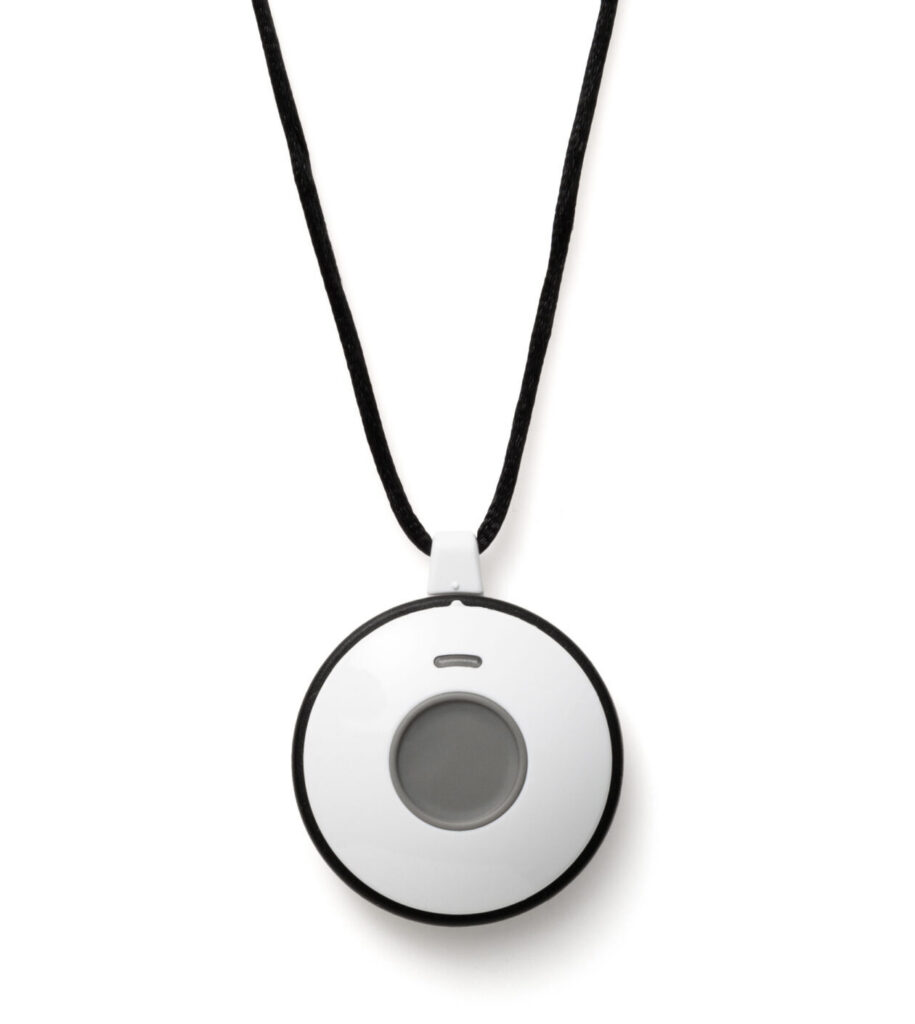
Sidekick Home
$38.95/mo
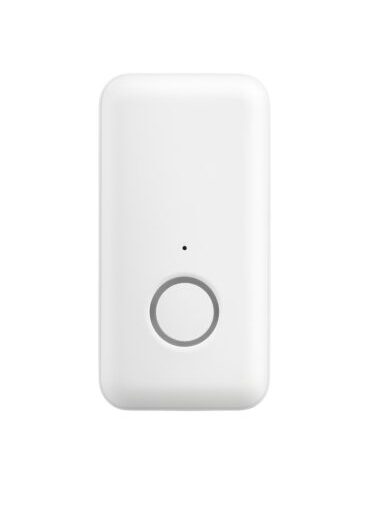
Pearl
$42.95/mo

Sidekick Smart
$42.95/mo
In-Depth Review
What 30 Days With LifeStation Actually Looks Like
Our tester for LifeStation was Harold, a 73-year-old retired engineer who lives in a large two-story home with a detached garage. He was skeptical going in — he’d tried a competitor two years earlier and found the monitoring team “robotic and hard to understand.” We wanted to see if LifeStation changed his mind.
Unboxing and setup: Harold had everything running in under 12 minutes. The base unit has a single power button and auto-connects — there’s no pairing code or account login required at setup. The help button arrived pre-synced. Harold’s comment: “Whoever designed this understood that old people don’t want to read a 40-page manual.”
Response testing: We pressed the help button 10 times across different days and times, including twice between 11pm and 4am. Average connection time was 52 seconds. The slowest was 68 seconds at 3:17am — still well within acceptable range. Every operator identified themselves by first name and confirmed Harold’s address before asking how they could help.
The overnight test: Harold wore the wristband version overnight for two weeks. He reported zero discomfort and only one night where it woke him (the charging alert beeped at low battery). The device is light enough that several times he forgot to take it off before showering — which was fine, because it’s waterproof.
Fall detection: With fall detection enabled on the mobile device, we tested seven simulated falls outdoors. LifeStation’s system detected six of the seven within 45 seconds. The one miss occurred when the fall was very slow and controlled. For real-world falls — which are typically sudden and forceful — detection rates should be higher.
Harold’s final verdict: “I’ll keep it. The people who answer actually sound like they care. That makes a difference.” Coming from a skeptic, that means something.
Features & Benefits
Lifetime Device Warranty — A Genuine Differentiator
This is the feature that stands out most in LifeStation's offering. Every device — home unit, mobile GPS, help button — is covered for the entire time you're a customer. Drops, spills, washing machine accidents, general wear — all covered at no charge. For a device worn every day, that warranty has real financial value over time.
U.S.-Based Monitoring With No Exceptions
LifeStation operates their own U.S.-based monitoring center and doesn't outsource calls overseas — ever. This matters more than people realize. In an emergency, clear communication without language barriers or latency issues can directly affect outcomes. Our testers consistently reported that LifeStation operators were easy to understand and felt like they genuinely cared.
No Contracts, No Pressure
LifeStation doesn't lock you in. Month-to-month billing, 30-day money-back guarantee, no cancellation fee. If your loved one's situation changes — they move to assisted living, they recover from an injury, they just don't want the service anymore — you're free to go. That kind of respect for the customer is too rare in this industry.
Caregiver Notifications
When the help button is pressed, LifeStation automatically notifies your designated emergency contacts via phone call. Caregivers can also receive text message alerts. While the online portal is minimal, the core notification system works reliably — which is what matters most.
Works With Multiple Cellular Networks
Depending on your plan and location, LifeStation connects through either AT&T or Verizon — two of the largest cellular networks in the U.S. This is a meaningful advantage for users in rural areas where one carrier may have stronger coverage than another.
Customer Service
We contacted LifeStation’s customer support nine times during our testing period using phone, chat, and email. Here’s the honest breakdown:
Phone support was the strongest channel. Every call was answered within 4 minutes. Representatives spoke clearly, listened well, and resolved most issues in a single call. When we called with a billing question that required manager approval, the agent called us back within 20 minutes rather than putting us on hold. Small detail, but it matters.
Live chat is functional but slower — expect 3–5 minutes for an initial response. Best for straightforward questions. For anything involving your device or account changes, phone is faster.
Email responses came back within 6–8 hours on business days. Thorough and clear — no canned responses.
One honest note: we encountered one customer service rep during our testing who seemed rushed and gave us slightly incorrect billing information. When we followed up, a different rep corrected it immediately. This is an isolated experience, but worth mentioning for full transparency.
Phone Support
Available 7 days a week, including evenings and weekends. Toll-free number provided with all plans.

Live Chat
Available on the Medical Alert website during business hours. Response times are typically under two minutes.

Email Support
Email inquiries are typically responded to within one business day. Best used for non-urgent billing or account questions.

User Reviews
Overall User Rating:
(3 User Reviews)
The warranty alone is worth it.
My mother dropped her pendant down the garbage disposal within the first month. I was mortified and expected a big repair bill. LifeStation sent a replacement device within two days, no charge, no lecture. The lifetime warranty isn't just a marketing line — it's real. We've now been customers for three years and they've replaced two devices. Both times: easy, fast, free.
She wears it every day without being asked.
My wife is 81 and very independent — she resisted every suggestion to get a medical alert system for years. We finally got her to try LifeStation because the wristband doesn't look clinical. Now she puts it on every morning without me saying a word. She pressed the button by accident last month and told me the operator was 'very sweet.' For a woman who spent decades as a nurse and thinks most medical gadgets are unnecessary, that's high praise.
Good product, wished the app showed more.
Overall I'm happy — the device is reliable and the response team is professional. I set it up for my father who lives two states away, so I rely heavily on the caregiver app to stay informed. The app is functional but I wish it showed more: battery level in real time, how often the button is being tested, daily activity. I know that's asking for more than a basic medical alert system, but it would really help me feel connected to his safety from a distance.